Case 03 / 07 · SaaS dashboard · In progress
Client Portal
A portal for small business owners on a monthly website plan: is my site OK, what was done, and what do I get for my money. Research, flows and a clickable prototype, with AI that only drafts.
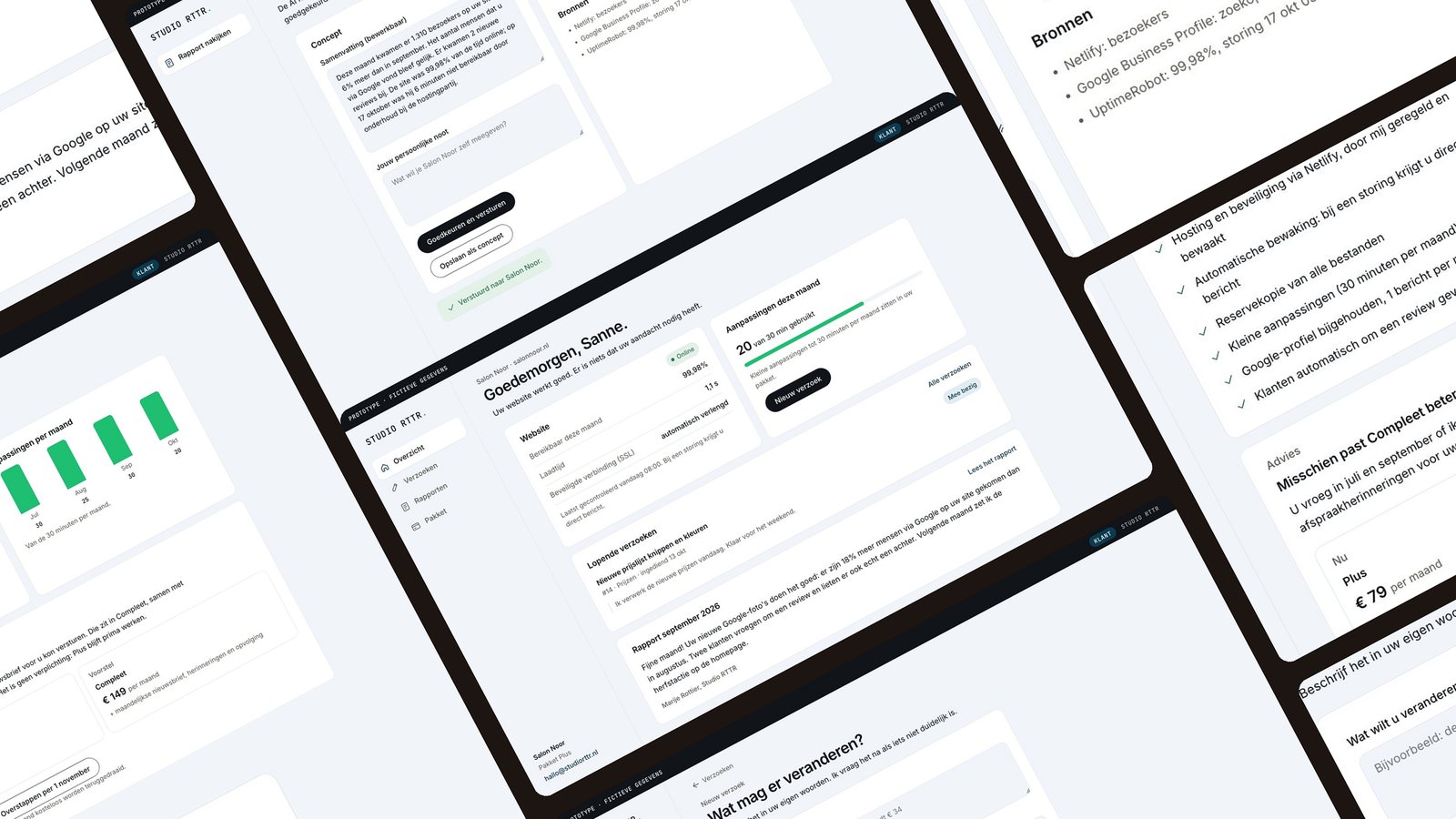
Owners pay monthly for website care, but good maintenance is invisible, so they can't see what they pay for.
A scan of six tools, proto personas, jobs to be done, the IA, three flows, notification rules and a clickable prototype with an AI review screen.
Prototype v1, built on clearly marked assumptions. Interviews with 3 to 5 owners come next, then a usability test.
Context
The challenge
Paying every month without seeing what for
Small business owners pay a monthly plan so they don't have to think about their website. But when nothing breaks, it looks like nothing happened. The portal has to show how the site is doing and what the owner gets for their money, without becoming another tool to learn.
It's a portal for my own web studio, so it has two roles: the owner, and the studio person who reviews every AI draft.
Make invisible care visible.
Research
Six tools, built for the agency
- Assembly, SuiteDash, PlutioAll-round portals around the agency's workflow: files, CRM, invoices. Not around the owner's question.
- Duda, WebflowClient access and billing, but tied to their own platform.
- ManageWP client reportsMake maintenance visible, but agencies report that uptime numbers alone don't convince clients.
Insight. Existing portals answer “how does the agency manage clients?” The owner asks “how is my website doing, and what do I get for my money?”
Hypotheses for the interviews. Owners want to know that everything works more than they want details. An email summary matters more than logging in. Not knowing whether a request is being handled frustrates more than the wait itself.
Process
Define
Jobs to be done and a small MVP
Written before the interviews, on marked assumptions. Two fictional proto personas: a salon owner who reads email between clients, and a small B2B shop owner who checks things in the evening and worries about jargon.
Jobs to be done
- When I pay monthly for my website, I want to see quickly that it works and what was done, so I feel it's worth it.
- When something needs to change, I want to ask it in one go and know when it's done.
- When my business needs more, I want honest advice on what helps.
MVP
- In: overview, change requests, monthly report, plan and invoices, and the studio review screen
- Out for v1: chat, file manager, editing the site, analytics, staff accounts, payments in the portal
Information architecture
Four places for the owner, one for the studio
Each client page answers one question. The studio side exists so that no AI text reaches a client without a person checking it.
Client side · the owner
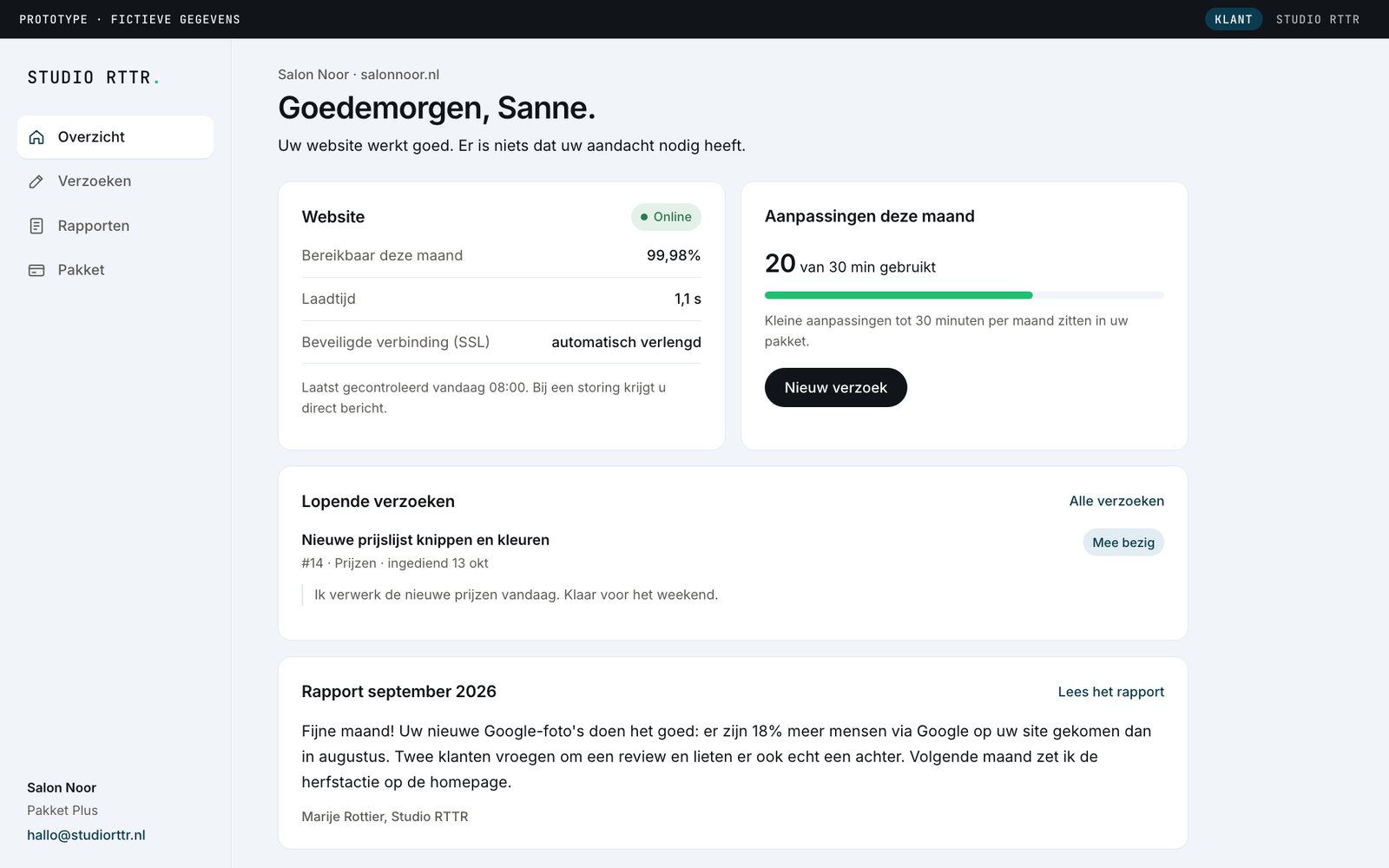
- Is my site online, does anything need me
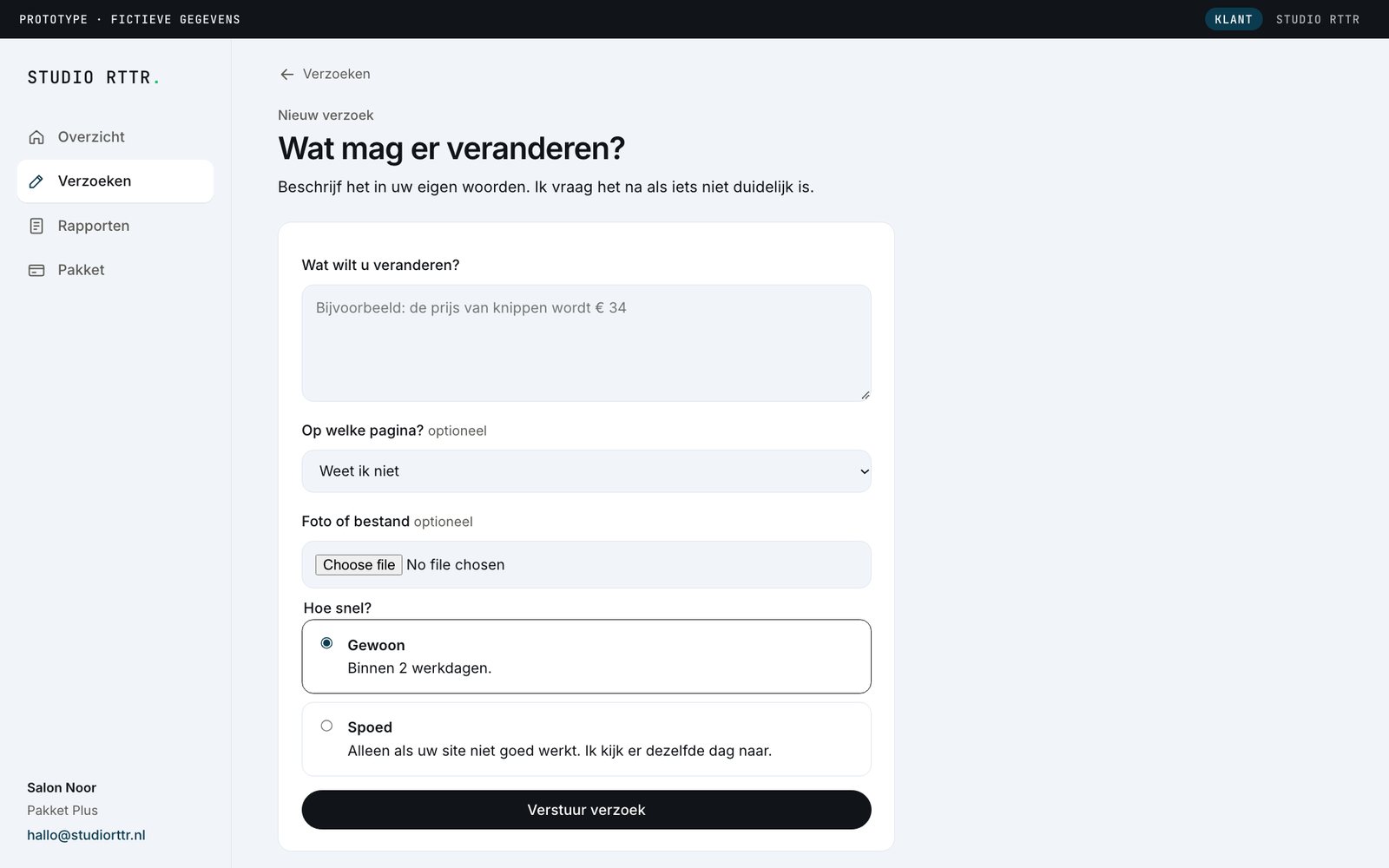
- Ask for a change, see what happens next
- Read the monthly report in plain language
- See what my plan includes, invoices
Studio side · me
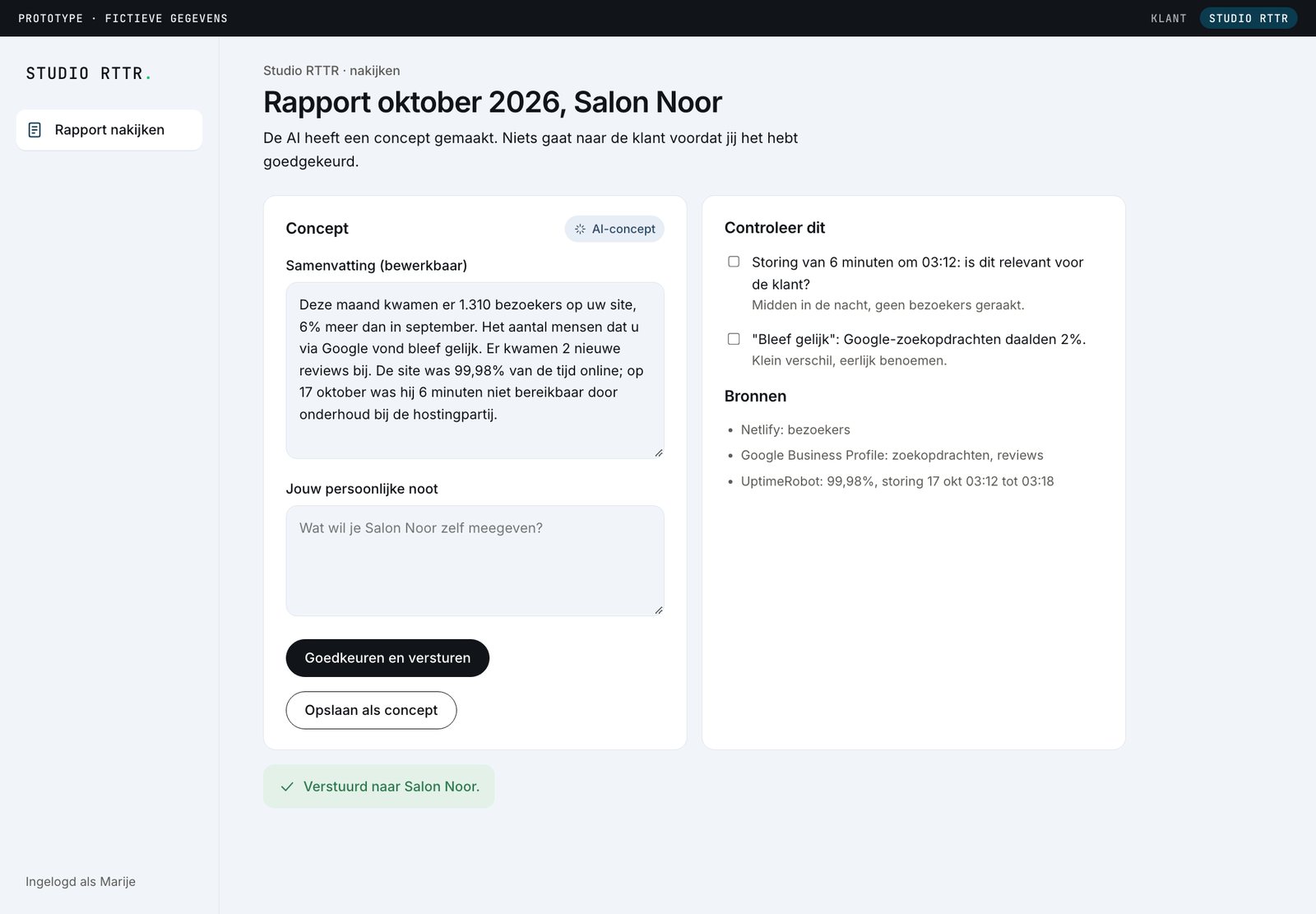
- AI draft from visible data sources
- Checklist of things to verify
- Required personal note
- Nothing is sent without approval
Notification rules
Quiet by default
Owners are busy running a business, so every message has to earn its place. Nothing at weekends except an outage.
| Trigger | Channel | When |
|---|---|---|
| Request received | Immediately | |
| Request done | Immediately | |
| Site down over 10 minutes | Immediately, one "back online" mail after | |
| Monthly report | First week, weekday morning | |
| Upgrade suggestion | Portal and report only | At most once a quarter |
| Marketing or sales mail | None | Never |
Design decisions
What changed, and why
An honest upgrade
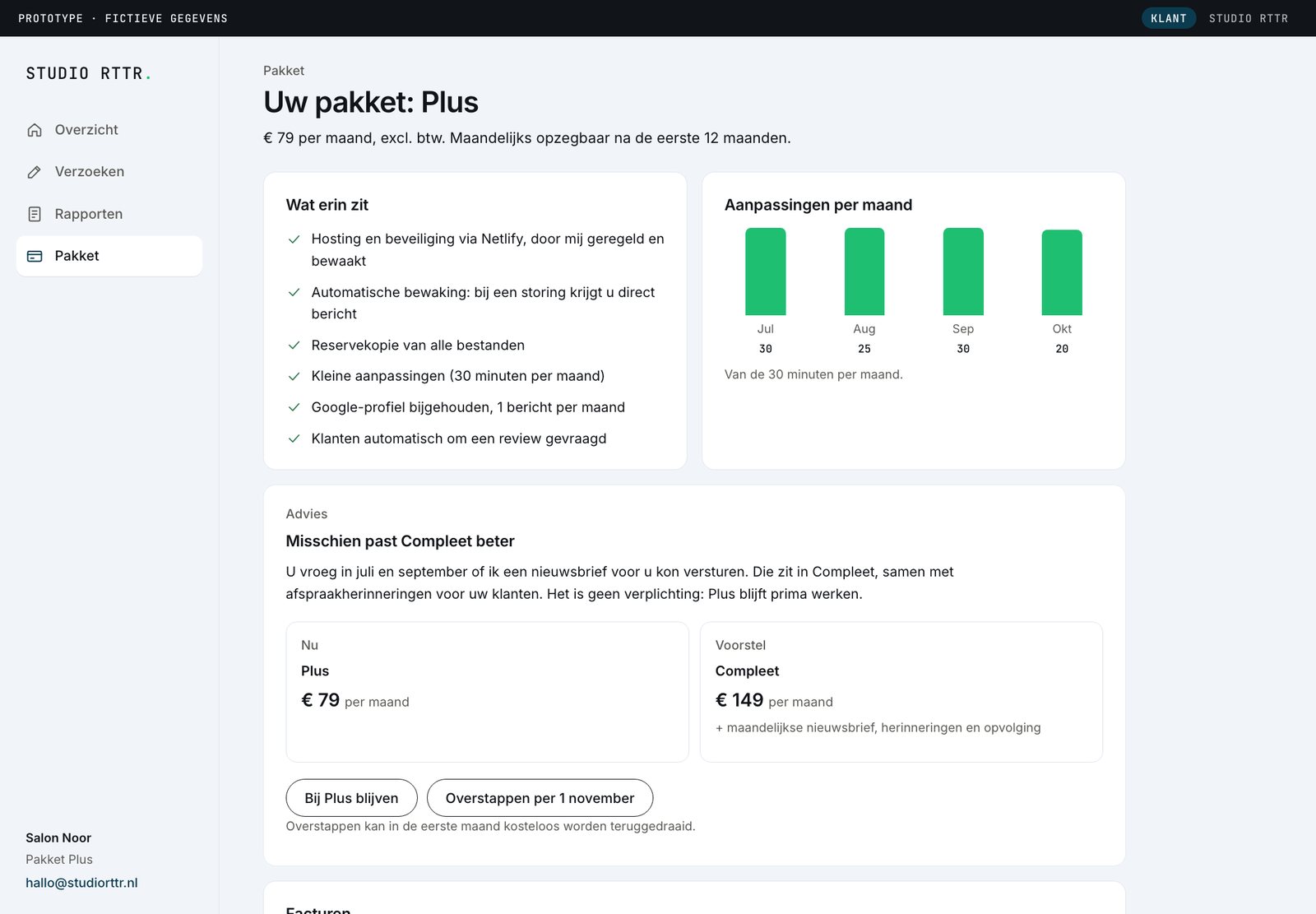
Only suggested when a rule is met, like change time used up three months in a row. Shown side by side with equal weight, and it can be undone in the first month.
WhyNo fake urgency, no pre-ticked options, no hidden cancellation. Trust is the product.
Plan usage in plain sight
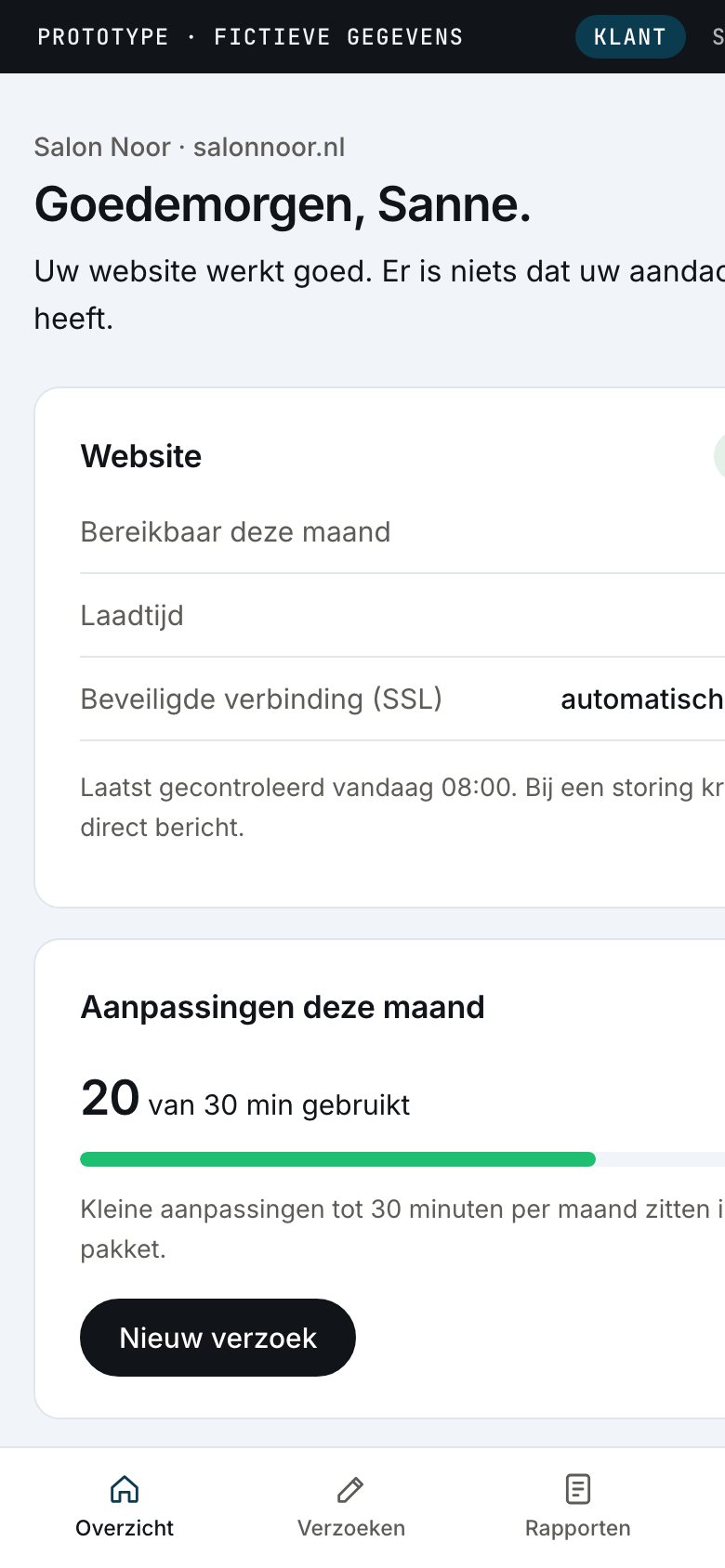
“20 of 30 minutes used” on the overview, with the request button right next to it.
WhyNone of the scanned tools shows plan usage to the client. Seeing it removes the guesswork about what a request costs.
AI drafts, a person decides
The monthly report is drafted from visible data sources and can't be sent without a personal note and a checklist.
WhyIt makes human oversight concrete and testable, instead of a promise in a footer.
Outcome
Prototype v1
Clickable, in Dutch, with demo data
Built in HTML with a fictional client, so no real business data is involved.
Status
Where the project is now
| Phase | What | Status |
|---|---|---|
| 1 | Discovery: scan, insights, hypotheses, interview guide | Done |
| 1b | Interviews with 3 to 5 business owners | Next |
| 2 | Define: personas, jobs, user stories, MVP | Done, on assumptions |
| 3 | Structure: IA, three flows, notification rules | Done, on assumptions |
| 4 | Prototype v1 | Done, to revise |
| 5 | Usability test with 5 users | Planned |
Reflection
What I'm watching for
This case is still in progress, so instead of hindsight, the risks I'm keeping an eye on.
- Designing ahead of the interviews
Designing before talking to owners keeps momentum, but it can anchor me to my own assumptions. That's why v1 stays as it is: the interviews get compared against it, not quietly folded in.
- Not building what doesn't need building
The same value can be delivered without code: a monthly report email, a status page, a request form and invoices from the accounting software. A real portal only makes sense with more clients and proof they want to log in.
- Keeping the AI honest
The review screen only works if checking the draft is faster than writing it. That's the first thing the usability test needs to show.
Next case
Home Remedies